
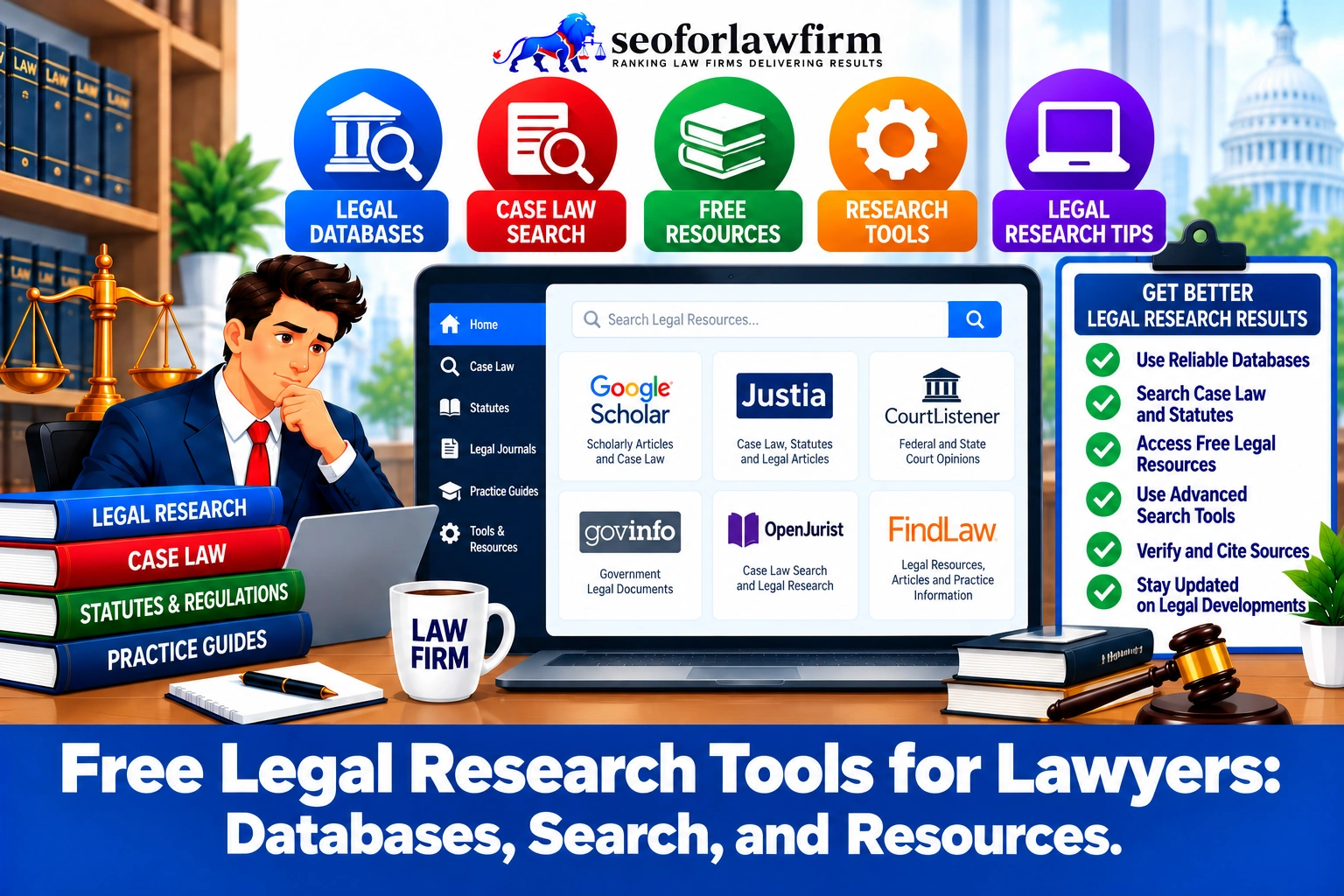
Free legal research tools give lawyers access to case law, statutes, dockets, legislation, and secondary materials without requiring a Westlaw, LexisNexis, or Bloomberg Law subscription. Google Scholar provides searchable federal and state case law, while CourtListener offers millions of opinions and a RECAP archive containing federal docket materials. Cornell Legal Information Institute, Justia, and FindLaw provide statutes, cases, regulations, and explanatory resources. GovInfo and Congress.gov provide federal publications, legislation, congressional materials, and authenticated sources, while U.S. Courts websites provide direct access to federal opinions. vLex Fastcase can also provide case-law, statutory, regulatory, and citator access to lawyers whose participating bar associations include the service as a membership benefit. Descrybe has shifted from its earlier free-search positioning to a paid legal research platform, so lawyers should check current access terms before treating it as free.
Each platform serves a different research function, which makes source selection part of competent legal research. Google Scholar and CourtListener support case discovery, government databases provide authoritative public documents, and bar-sponsored research services can add citator and editorial functions. According to a study by Stefan H. Krieger and Katrina Fischer Kuh titled Accessing Law: An Empirical Study Exploring the Influence of Legal Research Medium in 2014, Krieger and Kuh identified differences between print and electronic legal research processes. Database choice can shape discovery; access alone does not establish completeness. Free tools improve access, but lawyers still need to verify controlling authority, jurisdiction, currentness, subsequent treatment, and official text before relying on a source in a filing, transaction, or client opinion.
Listed below are the 10 best free legal research tools for lawyers.
- 1. Google Scholar: Google Scholar provides free access to a large collection of federal and state case law alongside scholarly literature. Lawyers can search opinions by terms or citations and use citation links to identify later materials that discuss a result, but Google Scholar is not a substitute for a professional citator.
- 2. CourtListener: CourtListener is a nonprofit legal search engine with millions of precedential opinions, oral arguments, citation data, alerts, and the RECAP collection of PACER documents. CourtListener is especially useful for case-law research, federal docket research, citation exploration, and monitoring new judicial developments.
- 3. Cornell Legal Information Institute (LII): Cornell LII provides free access to the U.S. Code, U.S. Supreme Court decisions, legal rules, and Wex explanatory materials. LII works well when a lawyer needs readable federal statutory material, Supreme Court authority, or a starting explanation of an unfamiliar legal concept.
- 4. Justia: Justia provides free federal and state court decisions, statutes, regulations, constitutional materials, selected dockets, and legal guides. Its U.S. Supreme Court collection also includes decisions, summaries, briefs, and oral-argument material.
- 5. FindLaw: FindLaw provides free federal and state case law, codes, statutes, legal-topic explanations, and selected secondary materials. FindLaw is useful for preliminary research, but FindLaw itself warns that some code material may not reflect the latest version and needs verification against an official source.
- 6. GovInfo: GovInfo is the U.S. Government Publishing Office platform for official federal publications such as the U.S. Code, Code of Federal Regulations, Congressional Record, congressional bills, reports, Statutes at Large, and other government collections. GovInfo works especially well when a lawyer needs primary federal material from an official government publication source.
- 7. Congress.gov: Congress.gov is the official federal legislative information system for researching bills, sponsors and cosponsors, legislative actions, committees, amendments, reports, text versions, and bill status. It is the stronger starting point when the legal question concerns pending federal legislation or legislative history rather than only enacted statutory text.
- 8. U.S. Courts Opinions and PACER Opinions: Federal court opinions are available without document charges through PACER for registered users, and opinions from more than 130 participating appellate, district, and bankruptcy courts are also searchable without charge through GovInfo. These sources provide a direct route to federal judicial opinions, although broader PACER docket and filing access can still involve fees.
- 9. vLex Fastcase through Bar Associations: vLex Fastcase is not universally free to everyone, but numerous state and local bar associations include access as a membership benefit. Coverage varies by bar, so lawyers need to check the exact library and features included with their membership.
- 10. Descrybe: Descrybe provides concept-based access to a large U.S. primary-law corpus covering case law, statutes, regulations, constitutions, court rules, and other materials, with AI-supported research and citation tools. Descrybe now operates at Descrybe.com rather than the older Descrybe.ai address, and some advanced research functions are paid rather than entirely free.
Table of Contents
- Article sections will appear here.
1. Google Scholar
Google Scholar is a free legal research tool that helps lawyers search federal and state case law, known citations, legal phrases, party names, and related scholarly materials. The platform works well for fast case discovery because lawyers can search judicial opinions directly and move between cited authorities and later sources connected with a case. Google Scholar also indexes academic literature, which allows lawyers to compare judicial authority with scholarly discussion on the same legal issue. Lawyers should use the case-law search when researching opinions, read the complete decision rather than relying on search snippets, and verify jurisdiction, currentness, and subsequent treatment through another reliable legal source before citing the authority.
Listed below are 8 common ways lawyers use Google Scholar.
- Find cases by party name: Search the names of parties when the citation is unknown.
- Search legal phrases: Use distinctive legal terms or quoted language to locate relevant opinions.
- Look up known citations: Enter a citation directly to retrieve a specific case.
- Find federal opinions: Search federal case law across multiple courts.
- Find state appellate opinions: Locate state appellate and supreme court decisions.
- Review scholarly commentary: Search academic articles discussing the same doctrine or legal issue.
- Follow citation relationships: Review cases and materials connected through citations.
- Verify the source: Open the full opinion and confirm the authority through another reliable legal database or official source before relying on it.
Is Google Scholar a Legal Citator?
No, Google Scholar is not a professional legal citator. Google Scholar’s “cited by” feature helps lawyers identify later cases and sources that reference an authority, but the feature does not establish that the authority remains valid for every legal proposition.
Lawyers still need to determine whether later courts followed, distinguished, limited, questioned, vacated, reversed, or overruled the relevant decision or holding. Google Scholar therefore works well as a free case-discovery and citation-tracing tool, but lawyers should use a reliable citator or another authoritative source to confirm current treatment before relying on a case.

2. CourtListener
CourtListener is a free legal research platform that helps lawyers search U.S. case law, federal dockets, PACER documents, oral arguments, judges, and citation relationships. The nonprofit Free Law Project operates CourtListener and maintains a large collection of judicial materials for public access.
As of October 2026, CourtListener reports more than 8 million precedential opinions in its database and continues adding new opinions and oral arguments. Lawyers can use CourtListener to locate cases, review docket activity through the RECAP Archive, trace relationships between authorities, research judges, and create alerts for ongoing legal issues or matters.
Listed below are 6 useful CourtListener features.
- Opinion search: Searches judicial opinions across federal and state courts.
- RECAP Archive: Provides access to millions of PACER docket entries and documents collected through RECAP.
- Oral arguments: Provides recordings from participating courts where available.
- Citation information: Shows citation relationships between judicial opinions.
- Judge information: Provides judicial profiles and related court materials.
- Alerts: Monitors saved searches and legal developments connected with ongoing research.
What Is the RECAP Archive?
The RECAP Archive is CourtListener’s searchable collection of federal docket information and PACER documents gathered through the Free Law Project’s RECAP system. The archive contains millions of docket entries and documents that have entered the collection, but it does not contain every document available through PACER.
Lawyers can search RECAP first to identify a federal docket, review documents already available in the archive, and avoid paying for PACER materials that have previously been collected. When a required filing or docket document is missing, the lawyer can use PACER to obtain the unavailable material. A practical research workflow therefore follows CourtListener/RECAP search → identify docket → review available documents → use PACER when required material is absent. Lawyers combining databases with AI tools for legal research still need to verify generated summaries and citations against the underlying primary authority.
3. Cornell Legal Information Institute
Cornell Legal Information Institute is a free legal research resource that helps lawyers access federal statutes, U.S. Supreme Court opinions, legal definitions, and introductory explanations of U.S. law. Cornell LII provides a searchable version of the U.S. Code organized by title and section, with notes, related materials, and currentness information that support statutory research.
The platform also maintains a U.S. Supreme Court collection containing recent decisions, archived opinions, case information, court rules, and related resources. Wex adds dictionary-style and encyclopedia-style explanations that help researchers identify legal concepts, terminology, and starting points before reviewing controlling authority.
Listed below are 4 useful Cornell LII resources.
- U.S. Code: Provides federal statutes organized by title and section for statutory research.
- Supreme Court collection: Provides U.S. Supreme Court opinions, case information, archives, and related materials.
- Wex: Provides legal definitions and explanatory articles covering legal concepts and terminology.
- Legal rules and related materials: Organizes federal legal reference materials for easier research and reading.
When Should Lawyers Use Cornell LII?
Lawyers should use Cornell LII when they need fast access to federal statutory language, Supreme Court authority, or an initial explanation of an unfamiliar legal doctrine. Wex is especially useful during issue identification.
A lawyer should move from the explanatory page into the underlying statute, case, regulation, or rule before treating the proposition as legal authority. Cornell itself notes that statutory research needs attention to currentness and later enactments.
4. Justia
Justia is a free legal research platform that gives lawyers access to federal and state case law, selected docket information, and explanatory legal resources. The platform combines several categories of primary law in one searchable system, which helps lawyers move between cases, statutes, regulations, and related legal materials during early-stage research.
Justia also maintains a large U.S. Supreme Court collection covering decisions from 1791 to the present, with opinion summaries, briefs, and oral-argument audio available for many cases. Lawyers can use Justia for case discovery, statutory research, regulatory research, constitutional analysis, and preliminary review of federal and state authorities before confirming controlling law through official or other reliable sources.
Listed below are 10 useful primary-law resources available through Justia.
- U.S. case law: Provides searchable federal and state judicial opinions.
- Federal statutes: Provides access to provisions of the U.S. Code.
- State statutes: Provides statutory materials organized by state.
- Federal regulations: Provides federal regulatory materials.
- State regulations: Provides regulatory resources from individual states.
- U.S. Constitution materials: Provides constitutional provisions and related legal resources.
- Federal Register materials: Provides access to federal rulemaking and administrative materials.
- Supreme Court cases: Provides U.S. Supreme Court decisions, summaries, briefs, and related materials.
- Courts of Appeals cases: Provides opinions from federal appellate courts.
- Federal District Court cases: Provides selected federal trial-court decisions.
What Is Justia Best Used For?
Justia is best for preliminary case research, free primary-law retrieval, Supreme Court research, and quickly moving between legal authorities and explanatory resources. Justia’s summaries help lawyers identify potentially relevant decisions and understand the general issue before reviewing the source material.
The judicial opinion remains the controlling authority, so lawyers should read the full decision, confirm the relevant holding, check the jurisdiction, and verify current treatment before relying on the case in legal work.
5. FindLaw
FindLaw is a free legal research resource that gives lawyers quick access to federal and state case law, statutes, regulations, and explanatory legal materials. The platform includes U.S. Supreme Court decisions, recent federal appellate decisions, state court decisions, federal codes, state codes, and the Code of Federal Regulations.
Lawyers can use FindLaw to identify relevant authorities, locate statutory provisions, search decisions across jurisdictions, and review legal-topic pages that explain terminology and issues before moving into primary authority. FindLaw works well as an initial research source, but lawyers should still read the full legal text and confirm current authority before relying on a result.
Listed below are 5 common ways lawyers can search FindLaw.
- Party name: Locates cases involving known parties.
- Citation: Retrieves a decision when the legal citation is available.
- Keyword: Finds cases and legal materials containing relevant terms.
- Jurisdiction: Narrows research to a particular state or federal jurisdiction.
- Court: Limits results to decisions from a specific court.
Should Lawyers Verify FindLaw Statutes?
Yes. Lawyers should verify statutory text and currentness before relying on FindLaw as the final statutory source.
FindLaw expressly warns that update frequency varies and that its codes may not reflect the most recent version of the law in a jurisdiction. It recommends verification against the relevant legislature or another authoritative source.
This makes FindLaw useful for discovery and access without making it the only source used for time-sensitive statutory research.
6. GovInfo
GovInfo is a free legal research platform operated by the U.S. Government Publishing Office that gives lawyers access to official federal publications from the legislative, executive, and judicial branches. The platform works well for lawyers who need government-published statutory, regulatory, legislative, presidential, and judicial materials from an official federal source.
GovInfo also organizes documents into searchable collections, which helps researchers move between enacted laws, congressional materials, regulations, historical statutes, and participating federal court opinions. Lawyers can use GovInfo to retrieve authoritative federal documents and confirm the text, publication history, and source of materials found through other research platforms.
Listed below are 11 major GovInfo collections.
- United States Code: Provides codified federal statutory law.
- Code of Federal Regulations: Provides codified federal agency regulations.
- Federal Register: Provides proposed rules, final rules, notices, and other agency publications.
- Congressional Bills: Provides introduced and amended federal legislation.
- Congressional Record: Provides records of congressional proceedings and debates.
- Congressional Reports: Provides committee reports and related legislative analysis.
- Congressional Hearings: Provides published hearing materials.
- Public and Private Laws: Provides enacted federal laws.
- Statutes at Large: Provides chronological publication of federal laws.
- Federal court opinions: Provides opinions from participating federal courts.
- Presidential documents: Provides proclamations, executive orders, and related presidential materials.
Why Is GovInfo Useful for Federal Research?
GovInfo is useful when the lawyer needs a government publication rather than an editorial reproduction supplied by a commercial research provider.
For example, GovInfo’s U.S. Code collection receives U.S. Code material from the Office of the Law Revision Counsel.
Its CFR collection provides annual editions of the Code of Federal Regulations and connects researchers to the regularly updated eCFR for current regulatory text.
GovInfo also maintains congressional bill versions from the 103rd Congress forward.
7. Congress.gov
Congress.gov is a free federal legislative research platform that helps lawyers track current bills, amendments, reports, and congressional actions. The Library of Congress presents Congress.gov using information from congressional and legislative-branch sources, which makes the platform a strong starting point for researching federal legislation.
Lawyers can use Congress.gov to review bill text, track status changes, identify sponsors and cosponsors, follow committee activity, compare related bills, and examine legislative reports and summaries. The platform also provides a public API that exposes structured legislative data, including bill versions, committees, subjects, summaries, titles, related bills, laws, and committee reports.
Listed below are 12 useful Congress.gov research features.
- Bill text: Provides the full text of introduced, amended, and enrolled legislation.
- Bill status: Shows the current stage of a bill in the legislative process.
- Sponsors: Identifies the member of Congress who introduced the bill.
- Cosponsors: Lists additional members supporting the legislation.
- Committees: Shows committee referrals and related activity.
- Amendments: Provides proposed and adopted changes to legislation.
- Legislative actions: Tracks votes, referrals, hearings, and other congressional activity.
- Related bills: Connects legislation addressing similar subjects or statutory changes.
- Congressional reports: Provides committee reports and supporting legislative materials.
- Policy subjects: Categorizes bills by subject area.
- Bill summaries: Provides concise explanations of legislative content.
- Public API: Provides structured access to bills, laws, committees, reports, summaries, and related legislative data.
When Should Lawyers Use Congress.gov?
Lawyers should use Congress.gov when a research question requires the history, development, or current status of federal legislation rather than only the final codified statute. Congress.gov helps lawyers identify a bill’s sponsor and cosponsors, review committee assignments, compare different versions of legislative text, examine proposed amendments, track House and Senate actions, locate committee reports, and determine whether a bill became law. The platform therefore supports legislative-history research and current bill tracking, while GovInfo works alongside Congress.gov when a lawyer needs official published congressional documents or historical legislative materials.
8. U.S. Courts Opinions and PACER
U.S. Courts resources give lawyers free access to federal court opinions, while broader PACER research can involve document-access charges. The federal judiciary states that registered PACER users can access court opinions without document charges. Opinions from more than 130 appellate, district, and bankruptcy courts are also available free in text-searchable form through the judiciary’s partnership with the U.S. Government Publishing Office, with participating collections extending back to April 2004. PACER provides broader federal case information beyond opinions, including dockets, filings, documents, and party information. Broader PACER use can generate charges, although users whose quarterly charges total $30 or less are not billed, and court opinions remain free.
Listed below are the 6 main types of information available through PACER.
- Case information: Provides identifying and procedural information about federal cases.
- Dockets: Shows chronological records of filings and court activity.
- Filings: Provides access to pleadings, motions, orders, and other filed materials.
- Documents: Gives users access to available federal court documents.
- Party information: Identifies parties involved in federal proceedings.
- Court opinions: Provides judicial opinions without PACER document charges.
What Is the Difference Between PACER and CourtListener RECAP?
PACER is the federal judiciary’s official electronic court-record system, while CourtListener RECAP is a free archive of federal docket information and PACER documents that have already entered the RECAP collection. PACER provides direct access to source federal court records, including dockets, filings, documents, and party information, while RECAP can provide free copies of materials that users or the Free Law Project system have already archived. RECAP does not contain every PACER document, so lawyers can use RECAP first for free retrieval and move to PACER when the required material is missing.
The table below shows the main differences between PACER and CourtListener RECAP.
| Dimension | PACER | CourtListener RECAP |
| Operator | Federal judiciary | Free Law Project |
| Primary role | Official federal court-record access | Free archive of collected PACER materials |
| Source status | Direct court-record system | Secondary archive of PACER documents and docket data |
| Cost | Some access can generate charges | Free |
| Coverage | Broader official federal docket coverage | Limited to materials already collected in RECAP |
| Best use | Obtaining authoritative federal docket materials | Finding free copies before paying for PACER access |
| Research workflow | Used when official or missing records are needed | Used first for cost-efficient document retrieval |

9. vLex Fastcase
vLex Fastcase is a legal research platform that many U.S. lawyers can access through state or local bar membership without buying a separate research subscription. Access is not universally free because the available research library depends on the lawyer’s bar association, membership status, and current benefit arrangement. Duke Law’s May 2025 state-bar research survey reported that every U.S. state bar association provided members with access to either vLex Fastcase or Decisis, although the provider differed by state.
The Washington State Bar Association, for example, lists vLex Fastcase as a member legal research benefit, while the Florida Bar includes a Florida vLex Fastcase library among its member resources. vLex also states that it works with more than 60 bar associations and provides research access to more than 1 million lawyers through those partnerships. Lawyers should therefore check their own bar association to confirm current eligibility, available databases, and coverage before relying on the service as a free research option.
What Does vLex Fastcase Provide?
vLex Fastcase commonly provides access to combinations of case law, statutes, regulations, constitutions, court rules, and related legal research materials. The exact content depends on the lawyer’s bar association, membership plan, and included research package.
Some associations provide state-specific legal materials with optional paid nationwide upgrades, while others include broader jurisdictional coverage. Lawyers should therefore review the scope of their own membership benefit before assuming that one bar association’s vLex Fastcase package matches another.
Listed below are the 8 main features lawyers should check.
- Jurisdiction coverage: Confirm which federal and state courts and jurisdictions are included.
- Statutory coverage: Check which federal and state statutes are searchable.
- Regulatory coverage: Determine whether federal and state administrative regulations are included.
- Citator access: Verify whether the package includes tools for checking subsequent treatment of authority.
- Secondary sources: Check whether treatises, commentary, or other explanatory materials are available.
- Nationwide access: Determine whether research extends beyond the lawyer’s home jurisdiction.
- AI features: Confirm which AI-assisted research functions are included in the membership package.
- Export restrictions: Review limits on downloading, printing, saving, or exporting research materials.
10. Descrybe
Descrybe is an AI-supported legal research platform that helps lawyers search U.S. primary law through legal concepts, citations, jurisdictions, and natural-language research questions. The former Descrybe.ai brand now operates at Descrybe.com. The platform covers federal and state case law, bankruptcy courts, specialized and agency tribunals, tribal courts, statutes, regulations, constitutions, session laws, and court rules, although coverage differs by jurisdiction and source type.
As of September 11, 2026, Descrybe’s published coverage page reported approximately 10.9 million opinions across 492 courts and tribunals. Lawyers can use the platform to locate relevant authority, verify quotations and citations, research statutory or regulatory issues, and examine how courts have treated particular legal propositions.
Listed below are useful Descrybe research functions:
- Concept-based case search: Finds decisions based on legal concepts rather than exact keyword matches.
- Citation lookup: Retrieves authorities using known legal citations.
- Primary-law retrieval: Provides access to cases and other primary legal materials.
- Statute and regulation search: Searches legislative and administrative legal sources.
- Treatment research: Helps researchers examine how later authorities discuss earlier decisions.
- Quote verification: Checks whether quoted language appears in the cited authority.
- Legal issue research: Supports natural-language questions and issue-based legal research across available sources.
Is Descrybe Completely Free?
No. Descrybe should not currently be described as an entirely free professional legal research platform.
The platform has evolved from its earlier free-search positioning.
Some access and source material remain available without a conventional premium research subscription, but advanced research functions have been offered through paid products. Lawyers need to check current access terms before treating every Descrybe feature as free.
AI-generated legal research also requires source review.
Descrybe itself states that individual verification functions do not certify an entire legal answer or analysis as correct.
Which Free Legal Research Tools Are Best for Different Research Tasks?
The best free legal research tool depends on whether the lawyer needs case law, statutes, secondary explanations, or AI-supported discovery.
The table below shows the best starting points by research task.
| Research Need | Useful Free or Member-Included Tool |
| General case-law research | Google Scholar, CourtListener, Justia |
| Federal case opinions | CourtListener, U.S. Courts/GovInfo, Google Scholar |
| Federal dockets and filings | CourtListener RECAP, PACER |
| U.S. Code | Cornell LII, GovInfo |
| Federal regulations | GovInfo, Justia |
| Pending federal legislation | Congress.gov |
| Congressional publications | GovInfo, Congress.gov |
| Supreme Court cases | Cornell LII, Justia, Google Scholar |
| State statutes | Justia, FindLaw, official state legislature websites |
| Legal definitions | Cornell Wex |
| Bar-member legal research | vLex Fastcase or the research platform supplied by the relevant bar |
| AI-assisted primary-law search | Descrybe |
| Secondary legal explanations | Cornell Wex, Justia, FindLaw |
How Do Free Legal Research Tools Improve Lawyer Efficiency?
Free legal research tools improve lawyer efficiency by reducing time spent locating initial legal authorities and making government publications available through searchable online collections. According to a study by Dale L. Goodhue and Ronald L. Thompson titled Task-Technology Fit and Individual Performance in 1995, Goodhue and Thompson tested data from more than 600 individuals in 2 companies and found support for the importance of matching technology to the tasks it serves. Software selection therefore needs to begin with the work users must complete, rather than the length of a feature list. Research notes, source documents, and matter deadlines can be organized in case management software so the team can retrieve the supporting material during later work.
Google Scholar provides court-specific opinion searches and links to citing cases. CourtListener combines judicial opinions with docket records and monitoring functions. GovInfo supplies federal legal publications through a searchable government repository.
A lawyer researching a federal regulatory dispute can locate the governing statute, review agency regulations, and examine relevant judicial interpretations using separate public databases.
The workflow reduces dependence on manual document retrieval and supports a structured research process.
Law firms can also combine public research databases with legal workflow automation software to organize documents, track research tasks, and manage related administrative activities.
Research efficiency should be measured through completed research time, accuracy, citation verification, and the effort required to retrieve missing documents. The availability of a free database alone does not establish a specific percentage improvement in research speed.
Where Can Law Firms Get Research-Driven SEO and Content Services?
Law firms can get research-driven SEO and legal content services from experienced providers such as SEOForLawFirm, along with established legal marketing agencies such as Rankings.io, Hennessey Digital, and Consultwebs. SEOForLawFirm’s law firm SEO services connect search-intent analysis, legal research, practice-area content, site architecture, attorney review, and conversion measurement within a structured content strategy. According to a study by Varun Magesh and colleagues titled Hallucination-Free? Assessing the Reliability of Leading AI Legal Research Tools in 2025, Magesh and colleagues found 17–33% hallucination rates in the evaluated legal AI tools. The tested systems and queries do not establish a universal error rate for all AI products. SEOForLawFirm’s legal content writing combines source research, jurisdiction-specific explanations, and attorney review within client-facing website content.
Research-driven legal content should begin with reliable authority rather than publishing an SEO page first and adding citations afterward. A stronger workflow follows search intent → legal issue → jurisdiction → primary sources → content structure → attorney review → publication → performance measurement, which connects legal accuracy with search visibility and signed-client acquisition.
How Should Lawyers Search Free Legal Databases Faster?
Lawyers search free legal databases faster by identifying the research issue before searching and following citation relationships after finding a useful authority.
Listed below are 7 steps for faster legal research.
- Define the legal issue: State the rule, fact pattern, and jurisdiction before opening a database.
- Choose the right source: Use case databases for opinions, GovInfo for federal publications, and Congress.gov for bills.
- Search known citations first: An exact citation is faster than broad keyword searching.
- Use distinctive terms: Search legal phrases, statute names, party names, and unusual facts.
- Filter by jurisdiction: Remove courts whose decisions have little relevance to the issue.
- Follow citations: Examine cases cited by a useful opinion and later cases citing it.
- Verify the final authority: Read the primary text and confirm current treatment.
What Are the Benefits of Free Legal Research Tools?
Free legal research tools reduce research costs and expand access to primary legal materials without requiring a large commercial-database subscription.
Listed below are 5 main benefits of free legal research tools.
- Lower research cost: Solo lawyers, small firms, students, researchers, and nonprofit organizations can perform substantial initial research without another monthly subscription.
- Broad primary-law access: Case law, statutes, regulations, opinions, bills, and government documents are available across several free databases.
- Faster preliminary research: Search interfaces make it easier to identify likely authorities before deeper analysis.
- Multiple verification paths: Lawyers can compare information across court, government, academic, nonprofit, and commercial-free sources.
- Research flexibility: Different platforms can be combined according to the particular legal question rather than forcing every task through one database.
What Are the Limitations of Free Legal Research Tools?
The main limitations of free legal research tools are uneven coverage, missing documents, delayed updates, and less integrated workflow support. The verification problems associated with ChatGPT for legal research make direct review of the cited authority essential when AI is added to a free research workflow.
Listed below are 7 limitations lawyers need to account for.
- Coverage gaps: A database may not contain every court, period, filing, statute, or regulation.
- Currentness differences: Update frequency varies by source.
- Limited citator functionality: Citation links do not always provide the treatment analysis available in commercial citators.
- Fewer editorial materials: Free systems often lack extensive treatises, headnotes, annotations, and practice guides.
- Historical gaps: Older authorities and historical versions may be incomplete.
- Docket limitations: RECAP contains only documents that entered its archive, and PACER itself is not completely free.
- AI verification risk: AI-generated summaries or research answers need comparison with the actual legal authority.

Can Lawyers Use AI Tools for Free Legal Research?
Yes, lawyers can use free-access AI tools for preliminary legal research, issue identification, and document summarization. Advanced legal research platforms frequently require subscriptions or impose usage limits. AI-generated citations, quotations, and legal interpretations must be independently verified.
AI research systems process natural-language queries and retrieve or generate explanations based on available legal information. An attorney researching noncompete agreements might use AI to identify relevant statutory concepts, potential exceptions, and judicial decisions for further investigation. AI can also summarize lengthy opinions and organize research findings. These summaries must be checked against original court documents because automated systems can omit legal qualifications or fabricate case citations. Lawyers comparing AI tools for legal research and drafting should assess source attribution, jurisdictional coverage, citation checking, confidentiality safeguards, and research accuracy.