
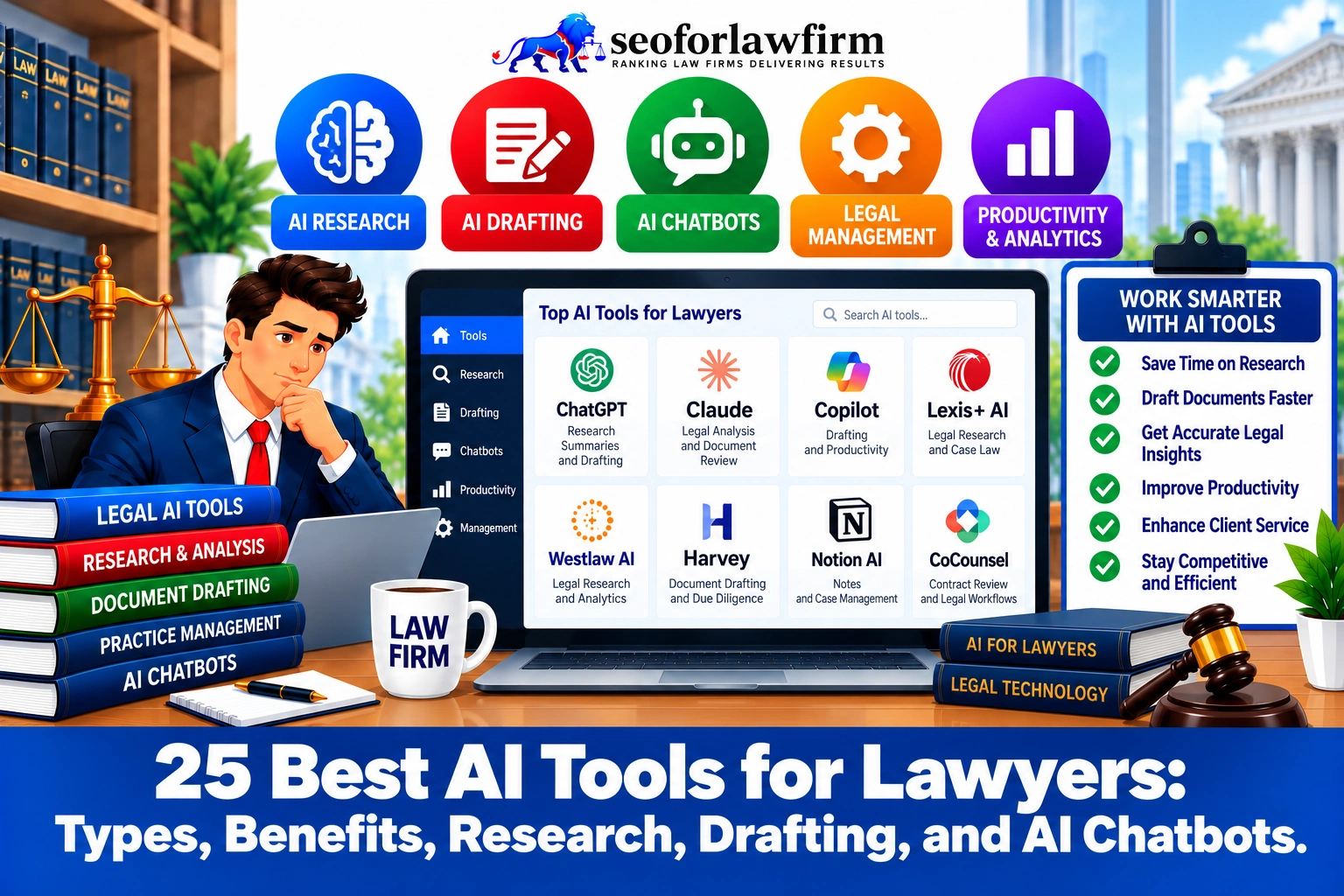
The best AI tools for lawyers include CoCounsel Legal, Lexis+ with Protégé, Claude, and specialized legal software for litigation, contract review, and law firm management. CoCounsel and Lexis+ with Protégé are strong choices for legal research and citation verification; Harvey supports complex legal analysis; Spellbook assists with contract drafting; and NotebookLM helps lawyers analyze uploaded case documents.
CoCounsel Legal, developed by Thomson Reuters following its acquisition of Casetext, combines AI-powered legal research, document analysis, case summarization, and drafting with Westlaw and Practical Law resources. Lexis+ with Protégé integrates conversational legal research, Shepard’s citation analysis, and source-supported drafting to assist attorneys with legal authority verification and litigation preparation.
Harvey AI supports enterprise legal research, case analysis, due diligence, and document-intensive work for large law firms and corporate legal departments. Spellbook operates within Microsoft Word to assist with contractual redlining, clause generation, and review against firm-approved playbooks. Google NotebookLM analyzes uploaded case materials and generates answers with citations to those source documents, making it useful for internal document research when confidentiality requirements are satisfied.
General-purpose AI assistants such as ChatGPT, Claude, Google Gemini, and Microsoft Copilot support legal writing, correspondence, document summaries, brainstorming, and administrative tasks. Specialized platforms such as Everlaw, RelativityOne, Clio Duo, and MyCase IQ extend AI capabilities into eDiscovery, case management, client intake, and law firm operations.
A study by Varun Magesh, Faiz Surani, Matthew Dahl, Zeyu Suzgun, Christopher D. Manning, and Daniel E. Ho from Stanford University and Yale University, titled “Hallucination-Free? Assessing the Reliability of Leading AI Legal Research Tools” in 2025 (published in the Journal of Empirical Legal Studies), confirms that leading commercial legal AI research systems hallucinated approximately 17% to 33% of the time.
AI tools for lawyers differ in legal database coverage, drafting capabilities, integrations, pricing, jurisdictional support, and confidentiality protections. Law firms should select software according to the legal task, the volume of documents involved, and the level of professional verification required.
Listed below are 25 AI tools for lawyers used in legal research.
- 1. CoCounsel Legal: CoCounsel Legal is an AI-powered legal assistant designed for research, document review, drafting, and legal analysis. Lawyers use it to accelerate research-intensive and document-heavy workflows.
- 2. Lexis+ with Protégé: Lexis+ with Protégé combines legal research resources with generative AI assistance. Lawyers use it to research authorities, summarize materials, draft legal content, and analyze legal questions.
- 3. Harvey AI: Harvey AI is a generative AI platform designed for legal and professional-services work. Law firms use it for drafting, research support, document analysis, and internal knowledge workflows.
- 4. Spellbook: Spellbook is an AI contract-drafting and review tool that integrates with Microsoft Word. Lawyers use it to draft clauses, identify contract issues, and revise agreements.
- 5. NotebookLM: NotebookLM is an AI research and note-analysis tool that works with user-provided source materials. Lawyers can use it to summarize documents, compare sources, and organize research around a defined set of materials.
- 6. ChatGPT: ChatGPT is a general-purpose generative AI assistant that supports research, drafting, summarization, analysis, and workflow development. Lawyers can use it for brainstorming, document preparation, research support, and operational tasks subject to confidentiality and verification requirements.
- 7. Claude: Claude is a general-purpose AI assistant designed for writing, reasoning, document analysis, and large-context workflows. Lawyers can use it to summarize lengthy materials, compare documents, draft content, and analyze complex information.
- 8. Google Gemini: Google Gemini is an AI assistant integrated across Google products and standalone interfaces. Lawyers can use it for research, drafting, summarization, document analysis, and productivity tasks.
- 9. Microsoft Copilot: Microsoft Copilot integrates AI assistance into Microsoft 365 applications and other Microsoft products. Lawyers can use it to draft documents, summarize meetings, analyze spreadsheets, and work with email and presentations.
- 10. Perplexity AI: Perplexity AI is an AI-powered research engine that provides answers supported by cited web sources. Lawyers can use it for preliminary research, source discovery, and rapid exploration of unfamiliar topics.
- 11. Westlaw AI-Assisted Research: Westlaw AI-Assisted Research combines generative AI with Westlaw’s legal research database. Lawyers use it to ask natural-language legal questions, identify relevant authorities, and accelerate case-law research.
- 12. Bloomberg Law AI: Bloomberg Law AI applies artificial intelligence to legal research, litigation, transactional, and business-law workflows. Lawyers use it to analyze legal materials, search authority, and support practice-specific research.
- 13. vLex Vincent AI: vLex Vincent AI is an AI-supported legal research system connected with vLex’s global legal database. Lawyers use it for legal research, authority discovery, document analysis, and jurisdiction-specific questions.
- 14. Everlaw: Everlaw is a cloud-based litigation and eDiscovery platform. Legal teams use it for document review, investigations, case preparation, collaboration, and discovery management.
- 15. RelativityOne: RelativityOne is a cloud-based eDiscovery and legal data platform. Law firms and corporate legal departments use it to collect, review, analyze, and manage large volumes of litigation data.
- 16. DISCO: DISCO provides cloud-based eDiscovery, document review, and litigation technology. Legal teams use it to manage discovery collections, review evidence, and prepare cases.
- 17. Logikcull: Logikcull is a cloud-based eDiscovery platform designed to simplify document collection, processing, review, and production. Lawyers use it for litigation, investigations, subpoenas, and records-intensive matters.
- 18. Luminance: Luminance is an AI-powered contract and legal document platform. Legal teams use it for contract review, negotiation, due diligence, and agreement management.
- 19. Kira Systems: Kira Systems uses machine learning to identify and extract provisions from contracts and other legal documents. Lawyers use it heavily in due diligence, contract analysis, and large-scale document review.
- 20. Ironclad: Ironclad is a contract lifecycle management platform with AI-assisted contract functionality. Legal departments use it to draft, negotiate, approve, store, and manage agreements.
- 21. Clio Duo: Clio Duo is an AI capability within the Clio legal practice-management ecosystem. Law firms use it to work with firm data, summarize information, support administrative tasks, and improve practice-management workflows.
- 22. MyCase IQ: MyCase IQ provides AI assistance within the MyCase legal practice-management platform. Lawyers can use it to summarize case information, work with documents, and reduce routine administrative effort.
- 23. Notion AI: Notion AI adds generative AI features to the Notion workspace. Legal teams can use it to summarize notes, draft internal content, organize knowledge, and retrieve information from workspace materials.
- 24. Grammarly: Grammarly is an AI-assisted writing and editing platform. Lawyers use it to improve grammar, clarity, tone, and consistency across emails, documents, and other professional communications.
- 25. Fastcase: Fastcase is a legal research platform that provides access to case law, statutes, regulations, court rules, and related materials. Lawyers often receive Fastcase or related vLex access through participating bar associations and use it for legal research and authority retrieval.
Table of Contents
- Article sections will appear here.
1. CoCounsel Legal
CoCounsel Legal is an AI-powered legal research and drafting platform from Thomson Reuters that helps lawyers analyze judicial opinions, review documents, summarize legal authorities, and prepare legal work product. Its integration with Westlaw and Practical Law connects generative AI assistance with established legal research resources.
CoCounsel supports litigation research, document comparison, legal memorandum preparation, and case analysis. Lawyers use the platform to locate relevant authorities, review extensive document collections, and organize research findings into draft legal arguments. Westlaw’s KeyCite services also support evaluation of citation treatment and precedential status.
CoCounsel is particularly suitable for law firms that already use Thomson Reuters products and require connected research and drafting workflows. Attorneys must still review generated arguments, verify legal citations, and confirm that the source material supports each legal conclusion.
2. Lexis+ with Protégé
Lexis+ with Protégé is an AI-powered legal research platform that combines conversational research, legal document analysis, drafting assistance, and Shepard’s citation verification. LexisNexis provides the system through its legal research ecosystem, including primary and secondary legal materials.
Lawyers use Protégé to ask legal questions in natural language, locate relevant authorities, summarize judicial decisions, and prepare research-supported drafts. Shepard’s helps attorneys evaluate whether a case has received negative, positive, or distinguishing treatment from later courts.
Lexis+ with Protégé is suitable for litigation practices that prioritize precedent verification, jurisdiction-specific legal research, and connected drafting workflows. Its source-grounded approach assists research, but attorneys remain responsible for verifying authorities before citing them in court filings.
3. Harvey AI
Harvey AI is an enterprise legal AI platform that supports complex legal research, document analysis, due diligence, and legal workflow automation. The platform serves large law firms, in-house legal departments, and legal teams handling extensive information and multiple legal matters.
Harvey helps lawyers review contracts, extract important clauses, organize legal arguments, and analyze large document collections. Corporate attorneys use Harvey during transactions to examine agreements, identify contractual obligations, and prepare due diligence summaries.
Harvey also supports internal knowledge retrieval and repeatable legal workflows. Enterprise adoption requires evaluation of document security, software integration, attorney supervision, and the quality of generated legal analysis.
4. Spellbook
Spellbook is an AI contract drafting and review tool that works inside Microsoft Word to help lawyers generate clauses, review agreements, and suggest contractual revisions. Its functions include automated redlining, contract analysis, playbook comparisons, and drafting assistance.
Spellbook is particularly useful for transactional attorneys handling nondisclosure agreements, commercial leases, master services agreements, and vendor contracts. Lawyers use its review functions to identify unusual contract language, propose alternative provisions, and compare agreements against preferred drafting standards.
The platform reduces repetitive drafting work while keeping contract editing inside Word. Attorneys must determine whether suggested clauses reflect governing law, client objectives, commercial risks, and the agreement’s other provisions.
5. NotebookLM
NotebookLM is Google’s AI-powered research assistant that helps lawyers summarize uploaded documents, locate information within case files, and generate answers supported by source citations. Its research workflow focuses on documents provided to a notebook rather than automatically supplying a complete professional legal research database.
Lawyers use NotebookLM to examine deposition transcripts, witness statements, contracts, correspondence, and other approved case materials. A litigation attorney can ask the system to identify statements about a particular event, compare references across documents, or prepare an initial chronology.
NotebookLM includes citations that direct users to supporting passages in uploaded materials. Attorneys must verify generated summaries and assess applicable confidentiality, privilege, and data-handling requirements before uploading client records.
6. ChatGPT
ChatGPT is a general-purpose AI assistant that helps lawyers draft documents, summarize text, organize research questions, and automate selected administrative workflows. ChatGPT supports legal writing tasks such as document outlines, correspondence, preliminary case summaries, and internal knowledge organization.
Attorneys use ChatGPT to prepare initial drafts of emails, memoranda, client updates, and document templates. The platform also helps lawyers simplify complex language, compare supplied documents, and organize factual chronologies.
ChatGPT does not automatically provide the legal source coverage or citation-treatment verification available in specialized legal research systems. Lawyers using ChatGPT for legal drafting and research must verify legal propositions and apply appropriate safeguards when handling client information.
7. Claude
Claude is an AI assistant developed by Anthropic that supports long-document analysis, structured drafting, legal writing, and document summarization. Lawyers use Claude to examine supplied legal texts, organize arguments, and compare information across multiple documents.
Claude supports preliminary contract analysis, legal memorandum drafting, internal research summaries, and correspondence preparation. Its document processing features help attorneys identify relevant sections and organize complex material into readable formats.
Claude is suitable for general legal productivity rather than serving as a substitute for a professional legal citator. Attorneys must independently confirm generated case references, statutory interpretations, and legal conclusions.
8. Google Gemini
Google Gemini is an AI assistant that supports document analysis, drafting, information organization, and productivity tasks across Google’s software ecosystem. Lawyers use Gemini to prepare written materials, summarize information, and organize internal workflows.
Google Workspace integrations support selected activities involving Gmail, Google Docs, and other applications, depending on the organization’s subscription and configuration.
Gemini assists with legal document preparation and general research planning, but legal analysis requires source verification. Law firms must also evaluate the privacy and data-handling arrangements applicable to their Workspace accounts.
9. Microsoft Copilot
Microsoft Copilot is an AI productivity assistant that helps lawyers draft documents, summarize emails, analyze spreadsheets, and organize meetings within Microsoft 365. Microsoft Copilot integrations with Word, Outlook, Excel, and Teams support common law firm administrative processes.
Attorneys use Copilot to prepare correspondence, summarize approved meeting records, identify information in internal documents, and create initial written drafts.
Microsoft Copilot is particularly relevant for law firms already operating within Microsoft 365. Available functions and confidentiality protections depend on the specific product, licensing arrangement, and organizational controls.
10. Perplexity AI
Perplexity AI is an AI-powered information discovery platform that generates answers with references to retrieved online sources. Lawyers use Perplexity for preliminary background research, identifying publicly available information, and locating potential source documents.
The platform is useful when researching emerging legal technology, publicly reported developments, or general industry information.
Perplexity is not a professional legal citator. Lawyers must retrieve and independently validate statutes, judicial opinions, and other primary authorities before relying on its answers in legal advice or filings.
11. Westlaw AI-Assisted Research
Westlaw AI-Assisted Research uses artificial intelligence to help lawyers retrieve legal authorities, analyze legal questions, and navigate Westlaw’s research collections. Westlaw’s AI research capabilities form part of Thomson Reuters’ broader AI-supported legal research environment.
Lawyers use Westlaw’s AI research functions to identify relevant cases, examine legal issues, and connect research findings with established Westlaw resources.
Westlaw’s legal citation infrastructure, including KeyCite, supports subsequent-treatment research. Attorneys should distinguish research retrieval from the professional judgment required to assess whether a case actually controls the legal issue.
12. Bloomberg Law AI
Bloomberg Law AI provides AI-supported research and analysis within Bloomberg Law’s legal information platform. Bloomberg Law AI capabilities assist lawyers researching litigation, regulatory developments, legal news, and business-related legal questions.
Bloomberg Law combines primary legal materials with regulatory information, litigation data, and business intelligence.
The platform is particularly relevant for corporate, regulatory, and litigation practices that require legal research connected with business developments and government activity. Available AI features depend on the product subscription and current platform capabilities.
13. vLex Vincent AI
vLex Vincent AI is a legal research assistant that supports natural-language searches, source analysis, and research across multiple jurisdictions. Vincent operates within the vLex legal research environment and uses available legal collections to assist with professional research.
Lawyers use Vincent to investigate legal questions, retrieve relevant authorities, compare judicial interpretations, and organize research findings.
The platform is particularly relevant to firms handling cross-jurisdictional matters. Attorneys should evaluate jurisdiction coverage and independently verify the authorities returned by the system.
14. Everlaw
Everlaw is a litigation and electronic discovery platform that uses AI-supported features to help legal teams search, review, and organize evidence. Everlaw workflows support document-intensive investigations, discovery, and litigation preparation.
Lawyers use Everlaw to identify relevant documents, review communications, organize productions, and examine evidence across large collections.
AI-assisted features support document summarization and review activities, while attorneys remain responsible for privilege decisions, relevance determinations, and discovery compliance.
15. RelativityOne
RelativityOne is a cloud-based eDiscovery platform that supports AI-assisted document review, evidence analysis, and legal data management. The platform serves litigation teams handling extensive electronic records.
RelativityOne helps attorneys process and review emails, documents, communications, and other electronically stored information.
Its AI-supported review capabilities assist with document prioritization, categorization, and analysis. Law firms must evaluate discovery accuracy, data protection, privilege review, and the defensibility of automated workflows.
16. DISCO
DISCO is an eDiscovery and litigation technology platform that supports document processing, evidence review, and AI-assisted legal analysis. Legal teams use DISCO to manage large collections of electronic evidence during litigation.
The platform supports searching, reviewing, categorizing, and analyzing documents relevant to legal disputes.
DISCO is suitable for litigation practices that need to manage significant document volumes while maintaining review consistency and attorney oversight.
17. Logikcull
Logikcull is an eDiscovery platform that helps legal teams collect, process, search, and review electronically stored information. Logikcull’s automated workflows reduce repetitive document-handling activities.
Lawyers use Logikcull to organize discovery materials, identify relevant documents, and prepare electronic records for review or production.
Logikcull’s core value lies in simplifying discovery operations. Attorneys should evaluate its current AI capabilities, review controls, and integration options rather than assuming every automated feature uses generative AI.
18. Luminance
Luminance is an AI-powered legal platform focused on contract review, due diligence, negotiation, and contractual risk analysis. Luminance helps lawyers examine agreement language and identify provisions requiring attention.
Corporate attorneys use Luminance to review large contract collections, identify unusual clauses, compare obligations, and analyze risk during transactions.
The platform also supports contract-related workflows beyond initial review. Its findings require legal interpretation based on governing law, commercial context, and client requirements.
19. Kira Systems
Kira is an AI-supported contract analysis platform used for due diligence, provision extraction, and document review. Kira Systems helps lawyers identify important contractual language across extensive agreement collections.
Law firms use Kira to extract information such as termination rights, assignment provisions, indemnification clauses, and change-of-control obligations.
The platform is particularly useful for corporate transactions involving numerous contracts. Extracted information requires validation, especially when contracts contain unusual language or complex cross-references.
20. Ironclad
Ironclad is a contract lifecycle management platform that uses AI-supported functions to assist with contract creation, review, approval, and administration. Ironclad workflows connect legal departments with business teams managing commercial agreements.
Ironclad supports contract intake, template management, approval routing, document review, and repository organization.
Corporate legal teams use the platform to standardize contracting processes and identify obligations across agreements. Its value depends on accurate workflow configuration and properly maintained contractual data.
21. Clio Duo
Clio Duo is an AI assistant within Clio’s legal practice management ecosystem that supports matter-related information retrieval and administrative productivity. The platform helps law firms work with information stored in their practice management systems.
Clio Duo assists with selected tasks involving matter records, internal summaries, and operational information.
Small and midsize practices use practice management AI to reduce repetitive administrative work and improve access to matter-related information.
Law firms considering Clio Duo should evaluate its available subscription features, user permissions, and integration with their existing workflows.
22. MyCase IQ
MyCase IQ provides AI-assisted functionality within the MyCase practice management environment to support law firm productivity and matter administration. MyCase IQ capabilities depend on the current MyCase product configuration.
MyCase supports legal workflows involving case records, client communication, scheduling, billing, and document management.
AI-assisted functions help attorneys organize information and reduce repetitive administrative activities. Law firms should verify the specific capabilities available within their subscription before implementing automated workflows.
23. Notion AI
Notion AI is a general-purpose writing and knowledge management assistant that helps lawyers organize internal information, summarize documents, and maintain reusable work materials. Notion AI operates within the Notion workspace.
Law firms use Notion AI to structure standard operating procedures, prepare meeting summaries, organize administrative notes, and draft internal documentation.
Notion AI is not a specialized legal research database. Its suitability depends on the firm’s document security requirements, workspace permissions, and information governance policies.
24. Grammarly
Grammarly is an AI-assisted writing platform that helps lawyers improve grammar, clarity, tone, and consistency in professional communication. Grammarly supports editing tasks involving emails, legal correspondence, internal documents, and explanatory materials.
Lawyers use Grammarly to identify language issues, improve readability, and refine drafts before final review.
Grammarly does not validate legal reasoning or establish the accuracy of cited authorities. Attorneys remain responsible for preserving intended legal meaning and reviewing proposed edits.
25. Fastcase
Fastcase is a legal research platform associated with vLex that provides case law and statutory research capabilities, including access through eligible bar association benefits. Fastcase is primarily a legal research service rather than a standalone generative AI assistant.
Lawyers use Fastcase to find judicial decisions, examine statutory materials, and perform conventional legal research.
Following its combination with vLex, attorneys seeking AI-powered functionality should evaluate Vincent AI and the specific tools available under their subscriptions or bar membership arrangements.
What Are the Types of AI Tools for Lawyers?
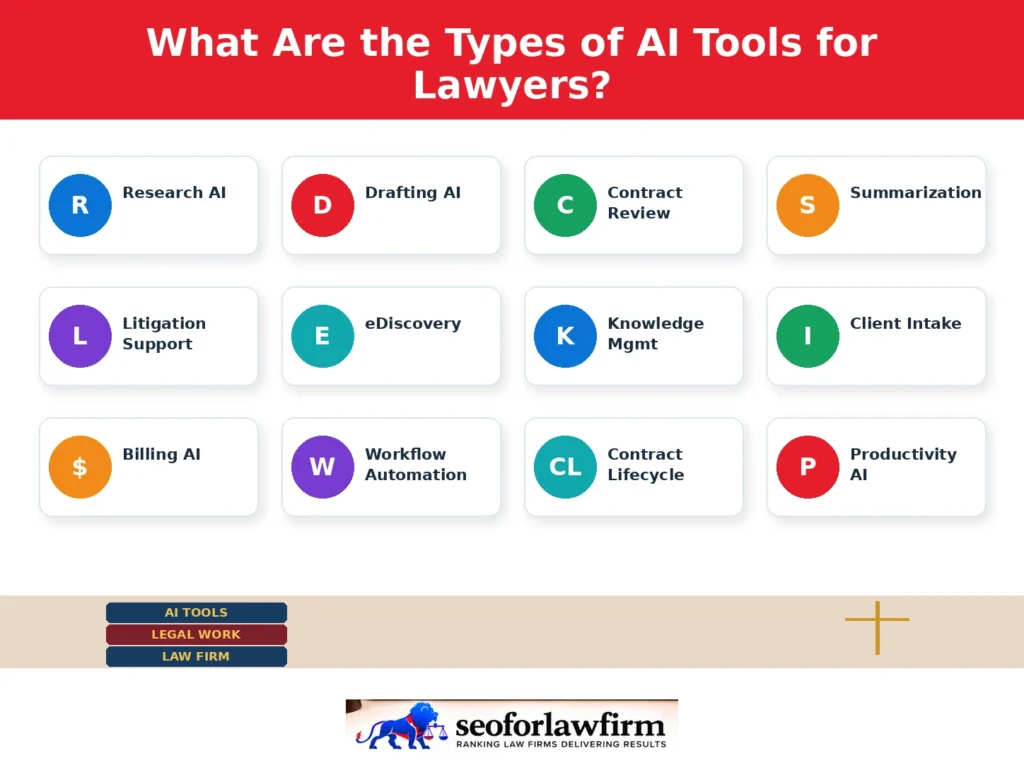
The types of AI tools for lawyers include legal research AI, drafting assistants, contract review systems, client intake automation, and legal practice management software. Each category supports a particular stage of legal service delivery.
Listed below are 12 types of AI tools for lawyers and the legal tasks they support.
- AI legal research tools: CoCounsel, Lexis+ with Protégé, and Vincent AI help attorneys locate authorities, analyze case law, and prepare research summaries.
- AI drafting assistants: ChatGPT, Claude, and Microsoft Copilot assist with initial legal document drafts, correspondence, and writing revisions.
- AI contract review tools: Spellbook and Luminance identify clauses, suggest revisions, and compare agreements with drafting standards.
- AI document summarization tools: NotebookLM and Claude organize information from lengthy case files, contracts, and transcripts.
- AI litigation support tools: Harvey and CoCounsel assist with evidence analysis, litigation research, and preparation of legal work product.
- AI eDiscovery platforms: Everlaw, RelativityOne, and DISCO assist with electronic evidence searching, classification, and review.
- AI legal knowledge management tools: NotebookLM and approved enterprise assistants retrieve information from internal documents and precedents.
- AI client intake tools: AI-enabled chatbots and intake systems collect initial client information and direct inquiries to appropriate staff.
- AI legal billing tools: AI-supported practice management platforms assist with time-entry preparation, billing review, and administrative record management.
- AI workflow automation tools: Legal automation software supports document routing, task assignments, approvals, and administrative follow-ups.
- AI contract lifecycle management tools: Ironclad and related systems coordinate contract drafting, review, approval, and storage.
- AI legal productivity tools: Gemini, Microsoft Copilot, Notion AI, and Grammarly support office communication, documentation, and general productivity.
Law firms should select tools that address identifiable workflow requirements rather than adopting multiple applications that perform similar functions.
What Are the Benefits of AI Tools for Law Firms?
The benefits of AI tools for law firms include faster preliminary legal research, improved information retrieval, reduced administrative work, and better organization of legal matters. These improvements depend on proper implementation, reliable source material, and attorney verification.
Listed below are 10 benefits of AI tools for law firms.
- Faster legal research: AI research systems retrieve candidate judicial decisions, statutes, and legal commentary for attorney review.
- Faster document drafting: Drafting assistants prepare initial versions of contracts, correspondence, memoranda, and internal documents.
- Document summarization: AI organizes long transcripts, agreements, and case records into shorter summaries.
- Contract risk detection: Contract analysis tools identify unusual language, missing provisions, and deviations from approved standards.
- Knowledge management: Internal research tools retrieve relevant templates, prior work product, and stored matter information.
- More efficient due diligence: Contract analysis systems extract information from extensive collections of transactional documents.
- Administrative automation: Productivity tools assist with routine correspondence, scheduling, notes, and document organization.
- More organized client intake: AI-supported intake systems collect preliminary information and route inquiries for review.
- Litigation document review: eDiscovery tools help categorize evidence and identify documents requiring attention.
- Improved workflow capacity: Automation reduces selected repetitive activities while lawyers retain responsibility for professional decisions.
A study by Shakked Noy and Whitney Zhang from the Massachusetts Institute of Technology (MIT), titled “Experimental evidence on the productivity effects of generative artificial intelligence” in 2023, confirms that generative AI tools significantly enhance professional writing speed and output quality.
How Do AI Tools Improve Legal Research for Lawyers?
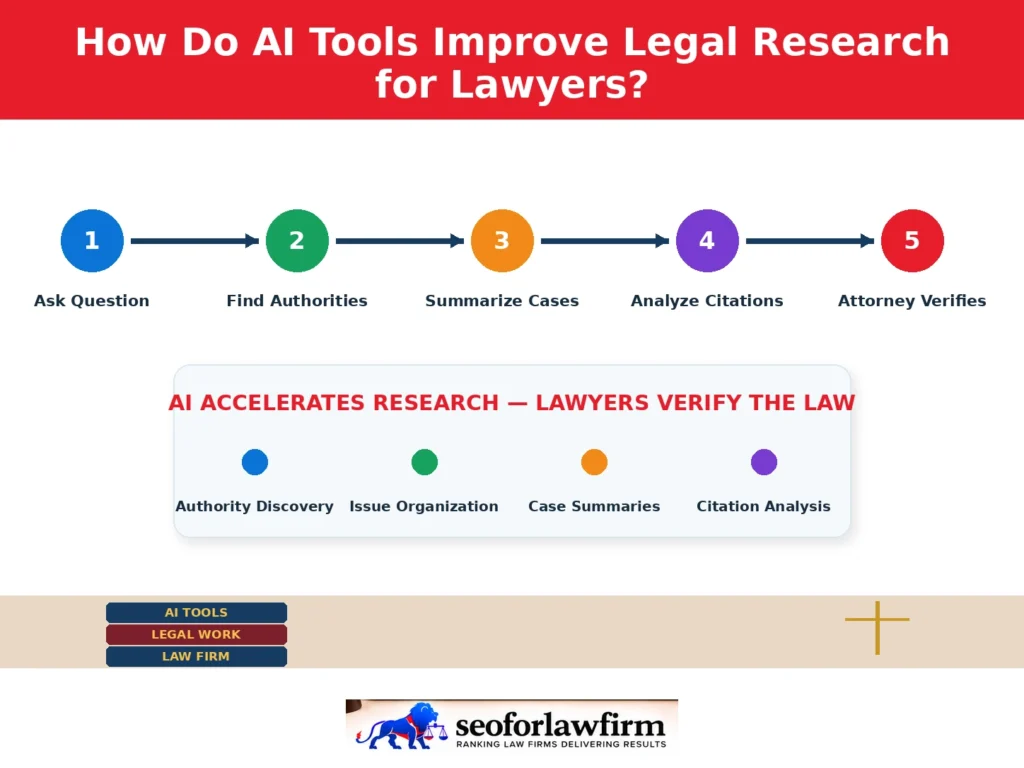
AI tools improve legal research for lawyers by identifying relevant authorities, summarizing judicial opinions, organizing legal issues, and supporting citation analysis. Systems connected to professional legal databases provide additional research functions beyond general-purpose AI assistants. CoCounsel retrieves information through its connected legal research ecosystem, while Lexis+ with Protégé integrates Shepard’s citation treatment information.
These systems help attorneys identify potential authorities and investigate relationships between legal decisions. However, AI-generated summaries sometimes misstate judicial holdings or omit limitations. Lawyers must examine the underlying opinions and independently confirm the relevance and validity of each citation.
Where Can Law Firms Get AI-Powered SEO and Marketing Services?
Law firms can get AI-powered SEO and marketing services from experienced legal marketing providers such as SEOForLawFirm, along with established providers such as Rankings.io, Hennessey Digital, and Consultwebs. SEOForLawFirm helps law firms improve search visibility and client acquisition through AI-powered semantic SEO, legal content planning, keyword research, technical SEO, contextual internal linking, and marketing workflow optimization.
Legal research AI and legal marketing AI serve different functions: tools such as CoCounsel and Lexis+ with Protégé support professional legal research, while AI-powered marketing systems connect practice-area search intent with website content, relevant queries, lead-generation objectives, and measurable client enquiries. SEOForLawFirm also connects research-driven legal content, practice-area keyword mapping, site architecture, conversion tracking, and organic search performance with prospective-client acquisition.
Can AI Tools Improve Legal Drafting?
Yes, AI tools improve legal drafting by generating initial document language, comparing document versions, and identifying inconsistencies for attorney review.
Spellbook provides drafting and redlining assistance within Microsoft Word. CoCounsel and Lexis+ with Protégé connect research with legal drafting, while ChatGPT and Claude support preliminary text preparation and revision.
A corporate lawyer reviewing a nondisclosure agreement can use AI to identify missing confidentiality exclusions, compare indemnification language, and suggest alternative provisions.
The lawyer remains responsible for determining whether the recommendations satisfy the client’s requirements, commercial objectives, and applicable law.
What AI Tools Help Lawyers Improve Efficiency, Productivity, and Turnaround Time?
The AI tools that help lawyers improve efficiency, productivity, and turnaround time include legal research assistants, billing tools, and workflow management applications.
Listed below are 7 AI tool categories that improve specific legal workflows.
- Legal research AI: CoCounsel and Lexis+ with Protégé assist with case law discovery and legal authority analysis.
- Contract review AI: Spellbook and Luminance support clause extraction, redlining, and agreement review.
- Document drafting AI: ChatGPT, Claude, and Microsoft Copilot help prepare and revise initial documents.
- eDiscovery AI: Everlaw and RelativityOne assist with electronic evidence review and classification.
- Client intake AI: Automated intake systems organize inquiries and support preliminary case screening.
- Billing and practice management AI: Clio Duo and MyCase IQ support selected administrative tasks.
- Workflow automation AI: Integrated legal systems coordinate document handling, task assignments, and administrative processes.
Law firms evaluating legal workflow automation software should compare the time required to complete a task before and after implementing automation, including the time spent reviewing AI-generated work.
What Is the Best Free Legal AI Chatbot?
The best general-purpose AI chatbots with free-access options for lawyers include ChatGPT, Claude, and Google Gemini, while NotebookLM offers source-grounded document analysis through its available access tiers. Free plan limits, document functionality, and data-handling terms differ among providers.
ChatGPT supports drafting, summarization, and general research preparation. Claude assists with document analysis and writing. Gemini provides general AI assistance within Google’s ecosystem.
These systems should not be treated as complete legal research databases or professional citation-verification platforms.
Lawyers comparing free AI tools for legal work should evaluate the scope of free access, supported file types, verification requirements, and confidentiality arrangements.
What Are the Risks of AI Tools for Lawyers?
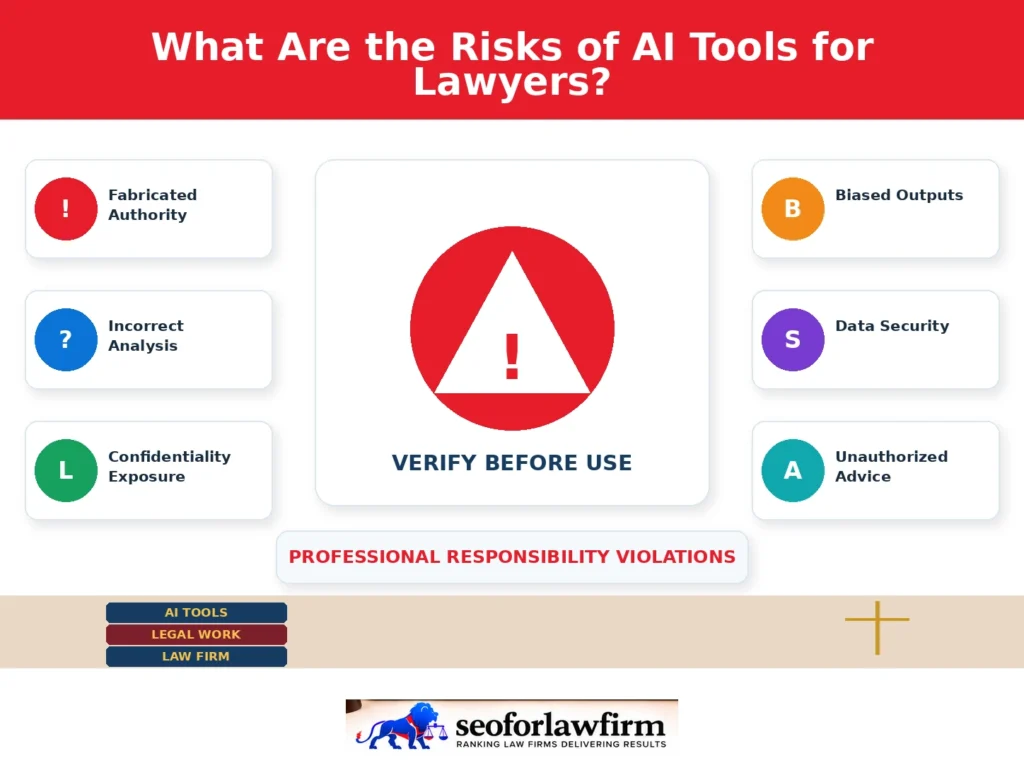
The risks of AI tools for lawyers include fabricated case citations, inaccurate legal reasoning, confidentiality exposure, biased outputs, and excessive reliance on automated recommendations.
Listed below are 7 risks lawyers should address before using AI in professional legal workflows.
- Fabricated legal authority: AI systems sometimes generate nonexistent cases, inaccurate citations, or invented judicial quotations.
- Incorrect legal analysis: Generated answers can misinterpret statutes, overlook exceptions, or apply rules from the wrong jurisdiction.
- Confidentiality exposure: Uploading client records to unapproved systems can create unauthorized disclosure risks.
- Biased outputs: AI responses can reflect inaccuracies or biases in training data and retrieved materials.
- Data security problems: Poor access controls, inadequate vendor safeguards, or insecure integrations can expose sensitive information.
- Unauthorized legal advice: Unsupervised client-facing tools can produce legal guidance outside appropriate attorney oversight.
- Professional responsibility violations: Submitting unverified content or mishandling client information can create ethical and procedural consequences.
Lawyers should confirm case citations, examine original authorities, review document revisions, and follow applicable court rules before using AI-generated work in professional proceedings.
How Should Lawyers Choose the Best AI Tools for Their Practice Areas?
Lawyers should choose AI tools according to their practice area, primary legal tasks, jurisdictional requirements, existing software, and available budget.
The table below compares suitable AI tools for 6 legal practice settings and the workflows most relevant to each.
| Legal practice | Suitable AI tools | Primary tasks |
| Litigation | CoCounsel, Lexis+ with Protégé, Everlaw | Legal research, citation verification, evidence review |
| Corporate law | Harvey, Spellbook, Luminance | Contracts, due diligence, legal analysis |
| Criminal defense | CoCounsel, Lexis+ with Protégé | Case law research, judicial opinions, litigation preparation |
| Family law | CoCounsel, Claude, Clio Duo | Research, document drafting, matter administration |
| Solo law firms | ChatGPT, Microsoft Copilot, Clio Duo | General drafting, office productivity, practice management |
| In-house legal departments | Harvey, Ironclad, Spellbook | Contract review, knowledge management, legal operations |
A litigation practice researching complex appellate issues should prioritize legal databases with citation-verification functions. A corporate practice reviewing recurring agreements should prioritize contract drafting, redlining, and playbook functionality.
A solo practitioner with a limited technology budget may begin with an approved general-purpose assistant for non-sensitive administrative work while retaining an established research process.