
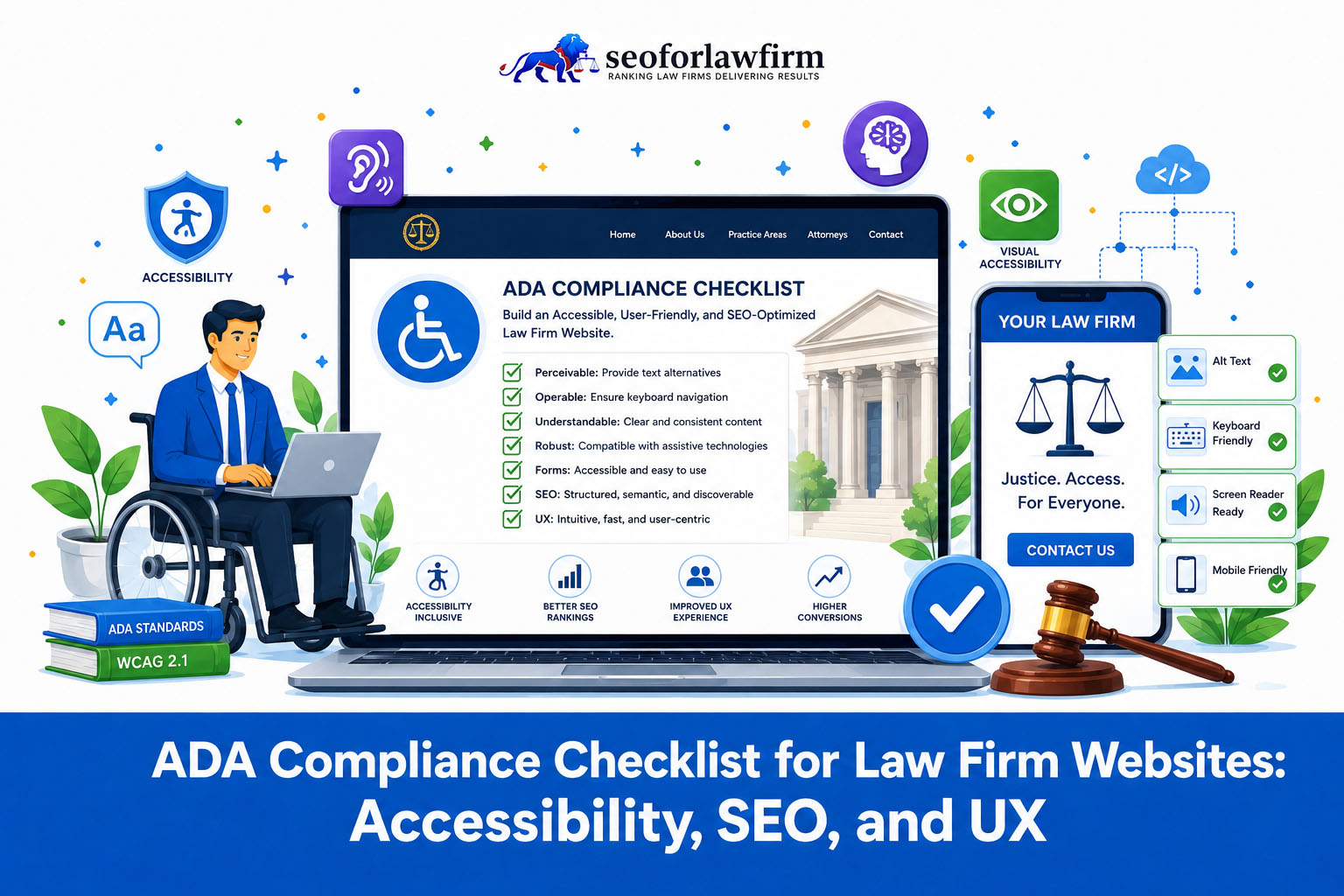
ADA compliance for law firm websites means removing digital barriers that prevent people with disabilities from reading legal content, navigating the website, using intake tools, or contacting the firm. Private law firms should use WCAG 2.1 Level AA as a minimum practical benchmark and WCAG 2.2 Level AA as the current W3C technical target. WCAG 2.2 is the latest W3C Recommendation and includes the WCAG 2.1 requirements, with added criteria for areas such as focus visibility, target size, dragging, redundant entry, and accessible authentication.
Visual accessibility starts with meaningful image alternatives, readable color contrast, scalable text, and safe animation. Informative attorney photos, diagrams, practice-area graphics, and functional icons need appropriate text alternatives. Decorative images should use an empty alt attribute instead of unnecessary descriptions. WCAG Level AA requires at least a 4.5:1 contrast ratio for normal text and 3:1 for large text, and text needs to remain usable when resized to 200%.
Navigation accessibility requires keyboard operation, visible focus, logical page structure, and a way to bypass repetitive navigation. A prospective client who does not use a mouse needs to reach practice-area links, attorney profiles, consultation buttons, menus, chat controls, and form fields with a keyboard. A “Skip to Main Content” link provides one straightforward method for bypassing repeated navigation.
A 2026 study by Seyfarth Shaw LLP found that federal court website accessibility lawsuits surged to 3,117 filings, a 27% increase, highlighting the need for comprehensive testing. A TestParty analysis links this rise to plaintiffs using automated tools to target “low-hanging fruit,” emphasizing that automated tools alone are insufficient to identify all accessibility errors and ensure legal compliance.
Links and forms need accessible names and instructions. Descriptive anchor text tells users where a link leads, and intake forms need associated labels, instructions, understandable validation, and error messages that explain how to correct a problem. Native HTML should identify controls whenever possible; ARIA attributes are useful when native elements do not supply the necessary accessible name or relationship. WCAG does not require adding an aria-label to every visible CTA.
Media and downloadable documents also form part of the accessibility experience. Prerecorded videos with audio need synchronized captions, prerecorded audio-only content needs a text alternative, and downloadable legal guides or intake documents need an accessible structure or an accessible alternative.
Accessibility monitoring needs both automated and manual evaluation. Scanners can identify issues such as missing alternatives, low contrast, form-label failures, and invalid markup, but W3C states that no automated tool alone can determine whether a website conforms to accessibility standards. Keyboard testing, screen-reader testing, visual review, and user testing remain part of a reliable law firm accessibility program.
An accessibility statement can document the standard the firm targets, known limitations, remediation efforts, and a contact method for reporting barriers. The statement supports transparency but does not replace actual remediation. W3C recommends including the organization, accessibility standard, feedback options, and assessment information.
Table of Contents
- Article sections will appear here.
What Is ADA Compliance for Law Firm Websites?
ADA compliance for law firm websites means providing people with disabilities equal access to the legal information, services, communication methods, and digital client pathways the firm offers online. ADA Title III identifies a lawyer’s office as a place of public accommodation, and DOJ guidance applies nondiscrimination and effective-communication obligations to web-based services offered by covered businesses.
The DOJ has not adopted a federal Title III rule that universally requires private law firms to meet one specific WCAG version, although WCAG Level AA provides a practical framework for accessibility design, testing, and documentation. The DOJ’s 2024 Title II rule separately requires WCAG 2.1 Level AA for covered state and local government websites and mobile applications. Private law firms should therefore use WCAG as an accessibility benchmark while recognizing that legal obligations can vary by jurisdiction and circumstances.
What Does ADA Require on Law Firm Websites?
ADA accessibility for law firm websites requires equal access in actual use, which means disabled visitors need to perceive legal information and use compatible assistive technologies.
Listed below are the 10 main accessibility areas law firm websites need to address.
- Image alternatives: Provide appropriate text alternatives for informative and functional images.
- Color contrast: Maintain readable foreground-to-background contrast.
- Text resizing: Allow users to enlarge text without losing content or functionality.
- Keyboard access: Make interactive website functions operable without a mouse.
- Visible focus: Show keyboard users which interactive element currently has focus.
- Navigation structure: Use meaningful headings, landmarks, link text, and bypass mechanisms.
- Accessible forms: Associate fields with labels and provide clear instructions and errors.
- Accessible media: Provide captions and other required media alternatives.
- Accessible documents: Ensure PDFs and downloadable resources remain usable with assistive technology or provide an accessible alternative.
- Assistive-technology testing: Verify important client tasks using screen readers, keyboards, zoom, and other relevant accessibility methods.
How Should Navigation and Website Structure Support ADA Accessibility?
Law firm navigation should support ADA accessibility through keyboard access, visible focus indicators, logical page structure, descriptive links, and a way to bypass repeated navigation. Semantic headings should also describe the actual content hierarchy rather than function only as visual styling. These practices help screen-reader and keyboard users move through attorney pages, practice areas, forms, and other legal content more efficiently.
Listed below are the 6 navigation checks law firms should complete.
- Keyboard operation: Users can reach every interactive function without a mouse.
- Logical focus order: Keyboard focus moves through the page in an understandable sequence.
- Visible focus indicators: Users can clearly see which element currently has keyboard focus.
- Skip navigation: Users can bypass repetitive headers and navigation menus.
- Semantic headings: Headings describe page sections and reflect the content hierarchy.
- Descriptive links: Anchor text identifies the purpose or destination of each important link.
How Can a Law Firm Make Its Website ADA-Compliant?
A law firm can make its website more defensibly ADA-aligned by auditing against WCAG Level AA and preventing accessibility problems from returning during future website updates.
Listed below are the 12 main steps for improving law firm website accessibility.
- Set the WCAG target: Use WCAG 2.1 AA where a legal, contractual, or organizational requirement names that version, and use WCAG 2.2 AA as the current W3C target for new accessibility work.
- Audit informative images: Add useful text alternatives where an image communicates information.
- Mark decorative images correctly: Use alt=”” when an image provides no information that a screen reader needs.
- Fix color contrast: Meet Level AA contrast requirements for text and applicable interface components.
- Support text resizing: Confirm that content remains usable at 200% text enlargement.
- Enable keyboard navigation: Test menus, forms, accordions, pop-ups, chat widgets, and buttons without a mouse.
- Make focus visible: Give keyboard users a clear visual indication of the active control.
- Add a bypass mechanism: Provide a skip link or another method that lets users bypass repetitive blocks.
- Repair forms: Add labels, instructions, accessible errors, and understandable submission feedback.
- Fix media and documents: Caption videos and remediate downloadable documents.
- Test assistive technologies: Test important pages and intake pathways using real keyboard and screen-reader workflows.
- Create an accessibility maintenance process: Recheck templates, plugins, forms, documents, and newly published content after changes.
A mobile optimization process for law firm websites also supports accessibility where responsive layouts, zoom, reflow, controls, and touch interaction intersect with WCAG requirements.
How Should Law Firms Use Alt Text?
Law firms should use alt text according to each image’s purpose so screen readers receive useful information without unnecessary descriptions. Informative images need meaningful descriptions, functional images need text that explains the action or destination, and decorative images should usually use alt=””. Alt text should support accessibility first rather than serve as a place for keyword stuffing.
Listed below are the 3 main image treatments.
- Informative images: Describe the information the image communicates.
- Functional images: Describe the action or destination represented by the image.
- Decorative images: Use an empty alternative, alt=””, so screen readers can ignore the visual decoration.
How Does ADA Compliance Affect SEO and User Experience for Law Firm Websites?
ADA compliance affects law firm SEO and user experience by improving website accessibility, navigation, content structure, and usability, although WCAG conformance is not a confirmed Google ranking factor. Accessible page structures help users navigate legal content, understand links, interact with forms, and consume multimedia more effectively. Law firms should measure calls, forms, consultations, and qualified leads after accessibility improvements rather than assume that WCAG work will directly increase rankings or conversions.
Listed below are the 10 main accessibility practices that also support website structure and usability.
- Semantic HTML.
- Descriptive headings.
- Appropriate image alt text.
- Descriptive internal links.
- Logical navigation.
- Mobile-responsive layouts.
- Readable color contrast.
- Video captions.
- Labeled intake fields.
- Keyboard-accessible navigation.
What Color Contrast Should Law Firm Websites Use?
Law firm websites targeting WCAG Level AA should use a contrast ratio of at least 4.5:1 for standard text and 3:1 for large text. These ratios apply to text and images of text, subject to WCAG exceptions such as logos and incidental text. Law firms should check contrast across body text, navigation, footer links, CTA text, form labels, placeholder text, error messages, and text shown on hover or keyboard focus. Websites should also avoid using color as the only way to communicate meaning. An invalid form field, for example, should include a clear text or programmatically determinable error message rather than rely only on a red border.
How Much Should Users Be Able to Enlarge Text?
Law firm website text should remain usable when resized up to 200% without loss of content or functionality under WCAG Level AA. Text enlargement should not cause consultation buttons to disappear, form labels to overlap fields, navigation items to become inaccessible, or legal content to be cut off. Responsive design and accessible reflow help law firm websites preserve readability and functionality across enlarged desktop views and smaller mobile screens.
How Should Law Firms Handle Flashing Content?
Law firm websites should avoid rapid flashing and strobing content and must keep flashing within WCAG’s seizure-safety thresholds.
WCAG Level A prohibits content that flashes more than 3 times in 1 second unless the flashing remains below specified general and red-flash thresholds. Removing unnecessary flashing is the simpler design choice for most law firm websites.
How Should Law Firms Make Intake Forms Accessible?
Law firms should make intake and contact forms accessible by using visible labels, programmatic field associations, understandable validation, and accessible submission feedback. Forms should request only the information needed for intake and should explain errors in a way that identifies the affected field and tells the user how to correct it.
Listed below are the 9 main accessibility requirements for law firm intake forms.
- Visible field labels.
- Programmatic label-to-field associations.
- Required-field instructions.
- Expected data formats.
- Keyboard access.
- Clear validation.
- Field-specific error messages.
- Error-correction instructions.
- Successful submission confirmation.
Do All CTA Buttons Need ARIA Labels?
No, law firm CTA buttons do not need ARIA labels when native HTML and visible text already provide a clear accessible name. A button labeled Request a Consultation already communicates its purpose to users and assistive technologies.
An icon-only telephone button needs an accessible name such as Call the firm when no visible text identifies the action. ARIA should address genuine semantic gaps rather than duplicate or override correct native HTML.
How Often Should Law Firms Audit ADA Accessibility?
Law firms should audit ADA accessibility throughout website development and after changes that can introduce new barriers rather than rely on one annual scanner report. Periodic testing between major updates can also identify accessibility regressions caused by content publishing, plugins, templates, and reusable components.
Listed below are the 11 main events that should trigger an accessibility audit.
- Website launches.
- Website redesigns.
- Theme changes.
- Navigation changes.
- Form changes.
- New chat or scheduling tools.
- Plugin updates.
- Major CMS changes.
- New document libraries.
- Video publishing.
- Reusable component changes.
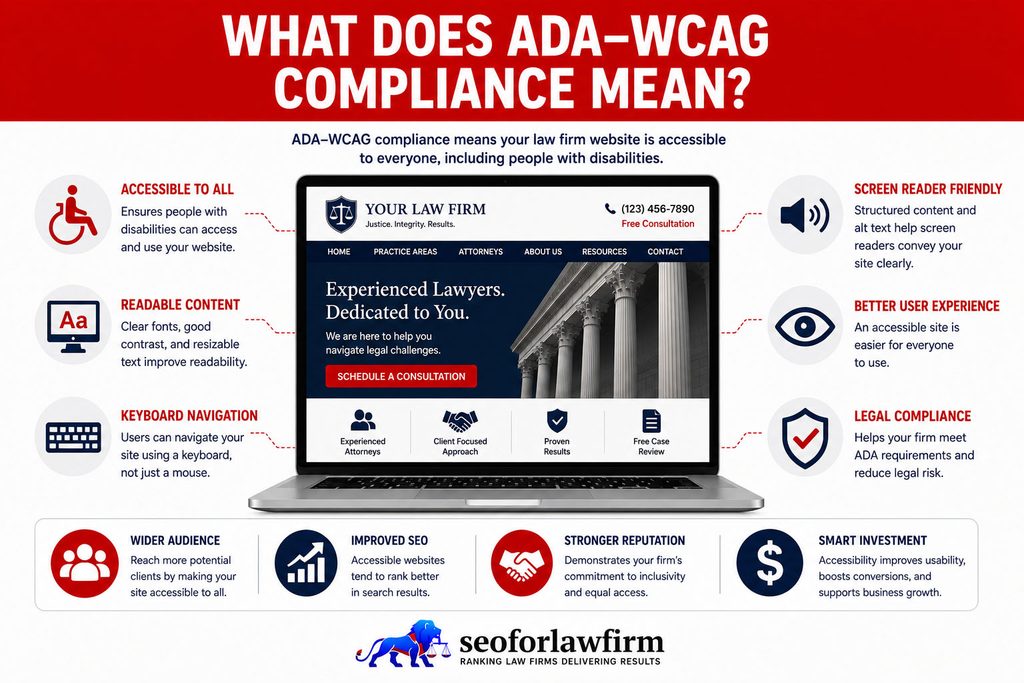
What Does ADA–WCAG Compliance Mean?
ADA and WCAG compliance means addressing two related but different accessibility frameworks: the ADA establishes legal nondiscrimination and equal-access obligations, while WCAG provides testable technical criteria for accessible websites. Private law firms fall under ADA Title III as service establishments, but current federal Title III regulations do not mandate one specific WCAG version for all private-business websites. Law firms commonly use WCAG Level AA as a practical technical framework for evaluating and improving accessibility.
The table below shows the main differences between ADA and WCAG.
| Aspect | ADA | WCAG |
| Type | U.S. civil-rights law | Technical accessibility standard |
| Publisher | U.S. government | World Wide Web Consortium |
| Purpose | Prohibits disability discrimination and requires equal access | Defines testable accessibility criteria |
| Conformance levels | No A, AA, or AAA levels | A, AA, and AAA |
| Private law firms | Lawyer offices are listed as Title III service establishments | Common framework for evaluating website accessibility |
| Federal private-business web standard | No detailed Title III regulation mandates one WCAG version | WCAG 2.1 and 2.2 provide established technical standards |
| Current W3C direction | Not applicable | W3C encourages use of WCAG 2.2 |
Should Law Firms Target WCAG 2.1 AA or WCAG 2.2 AA?
Yes, law firms should target WCAG 2.2 AA when no legal, contractual, or procurement requirement specifies an earlier version. WCAG 2.1 AA remains an established legal-reference benchmark, including under the DOJ’s Title II rule for state and local government websites and mobile applications.
W3C recommends WCAG 2.2 as the current technical standard, and WCAG 2.2 maintains broad backward compatibility with WCAG 2.1. Private law firms should therefore use WCAG 2.2 AA for current accessibility work while recognizing that WCAG 2.1 AA remains relevant in certain legal and contractual contexts.
How Do You Test a Law Firm Site for ADA Accessibility?
A law firm should test website accessibility with automated scanning, keyboard review, and human evaluation because no single automated tool can establish WCAG conformance.
Listed below are the 5 main accessibility testing methods.
- Automated accessibility scans: Detect machine-testable problems such as low contrast, missing alternatives, empty controls, and some labeling failures.
- Keyboard-only testing: Verify navigation, menus, modals, forms, chat, calendars, and buttons without a mouse.
- Screen-reader testing: Evaluate names, roles, reading order, headings, forms, dynamic messages, and navigation with assistive technology.
- Visual accessibility testing: Check contrast, zoom, text resizing, focus visibility, reflow, and responsive layouts.
- Human usability testing: Have knowledgeable evaluators and, where feasible, users with disabilities complete actual client tasks.
A study by the W3C Web Accessibility Initiative (WAI) published in the official resources document titled Selecting Web Accessibility Evaluation Tools explicitly states that “Web accessibility evaluation tools can not determine accessibility; they can only assist in doing so.” The documentation notes that while software programs can save time by performing fully automated checks, they cannot evaluate all accessibility aspects automatically and always require manual human judgment.
A technical SEO audit for law firm websites can coordinate crawl, rendering, HTML, mobile, and template QA with a separate accessibility audit, but SEO auditing does not replace WCAG conformance testing.
Why Does ADA Accessibility Benefit Law Firm Websites?
ADA accessibility benefits law firm websites by expanding access to legal information, reducing digital barriers, improving usability, supporting clearer website structure, and strengthening accessibility practices. Accessibility and SEO can overlap through semantic HTML, descriptive content, usable navigation, and meaningful links, but WCAG conformance itself is not a confirmed Google ranking factor and does not produce automatic SEO gains.
Listed below are the 5 main ADA accessibility benefits for law firm websites.
- Broader client access: Disabled users can research legal services and contact the law firm more effectively.
- Better intake usability: Accessible forms, buttons, and navigation reduce barriers during consultation requests.
- Clearer website structure: Semantic headings, labels, and links create more understandable content relationships.
- Lower avoidable accessibility exposure: Regular remediation addresses barriers before they remain embedded across the website.
- More consistent digital service: Accessibility standards give developers and content teams measurable publishing requirements.
Which ADA/WCAG Monitoring Tools Should Law Firms Use?
Law firms should use a combination of automated accessibility tools and manual testing rather than relying on one scanner, plugin, widget, or overlay.
The table below shows a practical accessibility testing stack.
| Testing Layer | Examples | Main Purpose |
| Automated page scanning | WAVE, axe | Detect machine-testable accessibility problems |
| Browser accessibility review | Browser developer tools | Inspect semantics, accessibility tree, focus, and markup |
| Contrast testing | WCAG contrast analyzers | Test foreground/background ratios |
| Keyboard testing | Standard keyboard | Verify focus order and operability |
| Screen-reader testing | NVDA, JAWS, VoiceOver | Test real assistive-technology interaction |
| Managed monitoring | Accessibility monitoring platforms | Repeated scanning and issue tracking |
| Human evaluation | Accessibility specialist/user testing | Identify barriers automated systems miss |
Products such as UserWay or AudioEye can form part of a monitoring workflow, but an automated product does not establish conformance on its own.
A law firm also should not treat an accessibility overlay or widget as a substitute for correcting inaccessible source code, content, forms, PDFs, or third-party components.
What Are the Most Common ADA Accessibility Failures on Law Firm Websites?
The most common accessibility failures law firms need to check are low contrast, missing image alternatives, poor document structure, inaccessible media, and inaccessible documents.
Listed below are the 11 accessibility failures that deserve priority during a law firm audit.
- Low color contrast: Text and controls become difficult for low-vision users to perceive.
- Missing image alternatives: Screen-reader users lose meaningful visual information.
- Unlabeled intake fields: Users cannot identify what information a field requests.
- Empty or ambiguous links: Links such as “click here” provide weak destination context.
- Unnamed icon buttons: Menu, telephone, chat, or search controls lack an accessible name.
- Keyboard-navigation failures: Menus, sliders, modals, chat tools, or forms require a mouse.
- Invisible or trapped focus: Keyboard users lose track of position or cannot exit a component.
- Poor heading structure: Users cannot navigate legal sections efficiently through assistive technology.
- Missing page language: Screen readers can pronounce content incorrectly.
- Inaccessible audiovisual content: Videos lack required captions or audio content lacks an appropriate alternative.
- Inaccessible PDFs: Documents contain image-only text, incorrect reading order, or unusable form controls.
A study by WebAIM (Web Accessibility in Mind) published in the official research report titled The WebAIM Million – The 2026 report on the accessibility of the top 1,000,000 home pages confirms that its February 2026 automated evaluation detected WCAG 2 A/AA failures on exactly 95.9% of the tested homepages.
What Is the Fastest Fix for ADA-Noncompliant Content?
The fastest first-pass fix for ADA-noncompliant content is to correct high-frequency, high-impact accessibility barriers before moving into deeper component and assistive-technology testing. Law firms should prioritize problems that prevent users from completing intake, navigating the site, understanding controls, reading content, or accessing multimedia. Automated tools can identify some defects, but they do not provide complete ADA or WCAG conformance on their own.
Listed below are the 10 steps law firms must follow to remediate ADA-noncompliant website content.
- Fix inaccessible intake forms.
- Fix keyboard navigation failures.
- Correct missing accessible names on buttons and links.
- Correct low-contrast text and controls.
- Add appropriate image alternatives.
- Add video captions and audio alternatives.
- Repair focus order and modal behavior.
- Remediate important PDFs and downloadable forms.
- Test zoom, reflow, and mobile accessibility.
- Re-test client journeys with assistive technology.
How Does Fixing Accessibility Reduce Legal Risk for Law Firms?
Fixing accessibility barriers reduces avoidable ADA exposure by improving equal access to a law firm’s online services, although no audit score or WCAG conformance claim guarantees protection from complaints or lawsuits. A defensible accessibility program should document the standards, testing, remediation, responsibilities, and ongoing controls used to address barriers. A law firm’s reputation-management process can support responses to public-facing issues, but accessibility complaints require substantive remediation rather than reputation messaging alone.
Listed below are the 10 records and controls law firms should maintain.
- Defined WCAG target.
- Audit scope.
- Identified accessibility barriers.
- Remediation tickets.
- Manual testing results.
- Assistive-technology testing.
- Accessibility feedback process.
- Responsible team members.
- Re-test results.
- Ongoing publishing controls.

What Are the ADA Rules for Law Firm Websites?
The ADA rules for law firm websites require your site to be accessible to people with disabilities, and the safest, most widely accepted way to meet that duty is to follow WCAG 2.1 Level AA. In practice, that means a firm’s website must allow people with disabilities to read content, navigate pages, and complete intake forms with assistive technologies such as screen readers or keyboards.
These regulations don’t list specific technical steps inside the ADA itself; the DOJ instead relies on the Web Content Accessibility Guidelines (WCAG 2.1 AA) as the practical benchmark for digital compliance.
Listed below are the 4 core ADA-aligned accessibility requirements for law firm websites.
- Readable content: clear fonts, color contrast, and scalable text.
- Operable navigation: menus, links, and forms usable without a mouse.
- Perceivable media: alt text, captions, and transcripts for all visuals or audio.
- Secure accessibility: consistent access across devices and browsers.
By aligning website design and development with WCAG criteria, law firms both satisfy ADA expectations and demonstrate their commitment to equitable, client-centered service.

How Does ADA Compliance Apply to CMS Platforms?
ADA accessibility applies to CMS platforms because themes, templates, plugins, page builders, forms, components, and publishing workflows can either preserve accessibility or introduce new barriers. An accessible website does not remain accessible automatically after launch, so law firms should evaluate both CMS output and the accessibility of themes, plugins, components, and editorial processes. A CMS platform for SEO and website management should make accessible publishing easier rather than require editors to correct HTML-level problems after publication.
Listed below are the 9 common CMS actions that introduce accessibility barriers.
- Uploading images without appropriate alt text.
- Using low-contrast color combinations.
- Using heading tags only for visual styling.
- Publishing inaccessible PDFs.
- Embedding videos without captions.
- Using vague links such as “click here”.
- Installing inaccessible forms.
- Adding chat widgets with poor keyboard support.
- Replacing native controls with inaccessible custom components.